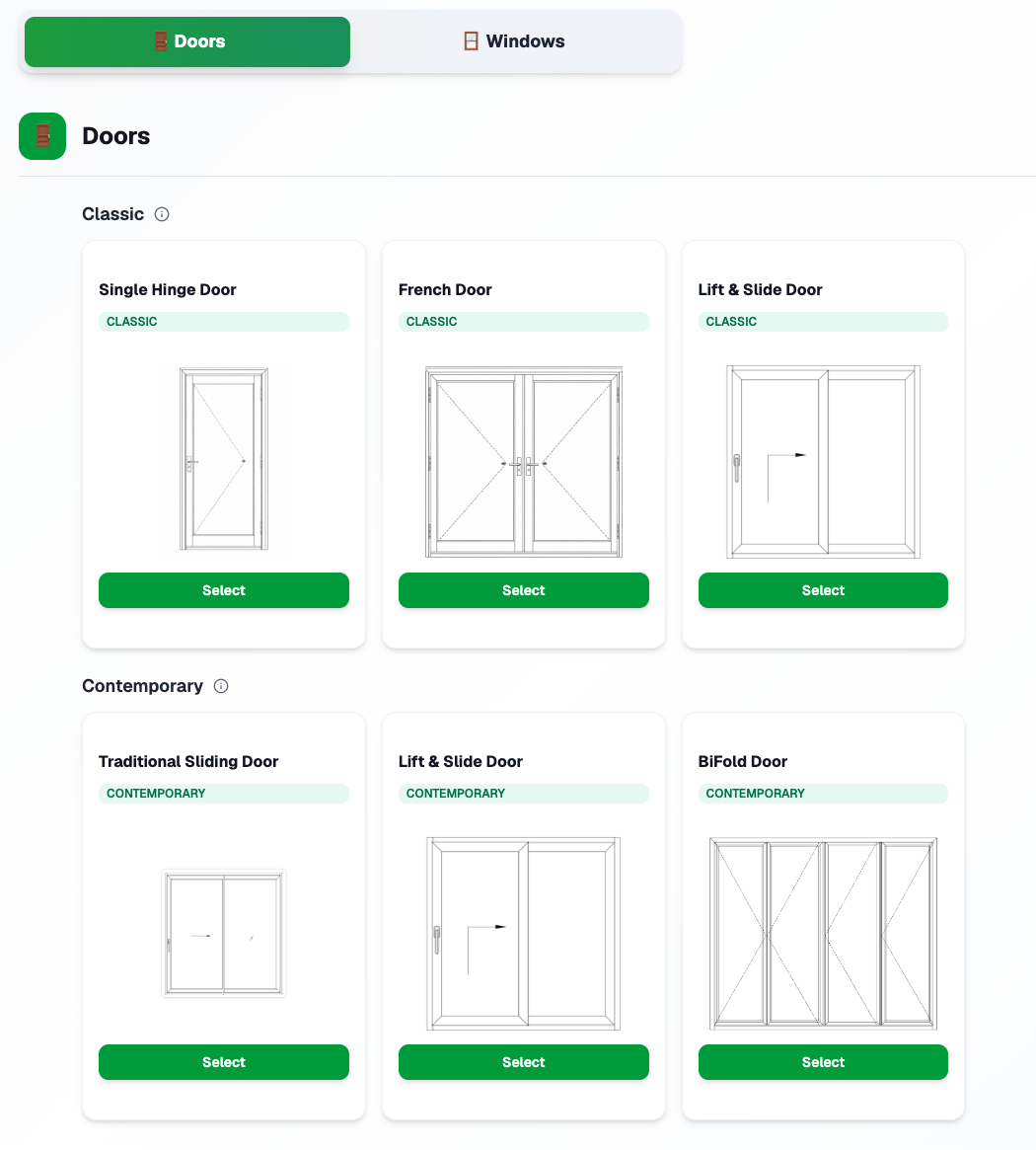
Product & size configurator
Select from the full MOLI catalogue—windows and doors—and specify dimensions, operation types, and configurations. Build openings with exact width and height; the tool applies correct pricing and specs.
For dealers
Build accurate, professional quotes for MOLI windows and doors. Configure products, apply pricing, and export to PDF — all in one place.
The MOLI quotation tool is available to authorized dealers. Use it to create and manage quotes with live pricing, product specs, and image simulations. Replace spreadsheets and manual take-offs with a single workflow.
Key capabilities of the quotation tool.
Select from the full MOLI catalogue—windows and doors—and specify dimensions, operation types, and configurations. Build openings with exact width and height; the tool applies correct pricing and specs.
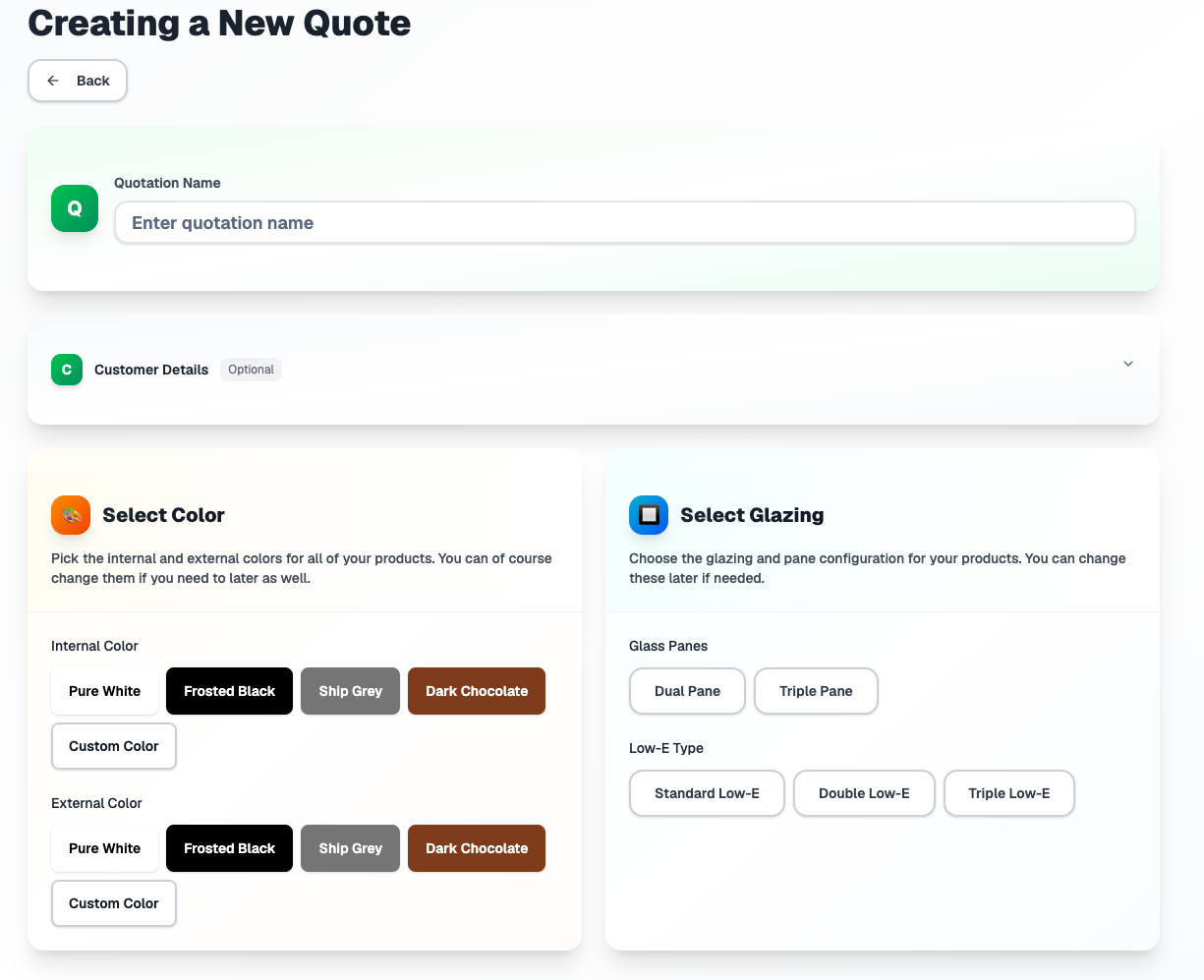
Frame series, materials, and glazing options are built in. Choose glass types, pane configurations, and Low-E options; unit and line totals update automatically from your dealer pricing.
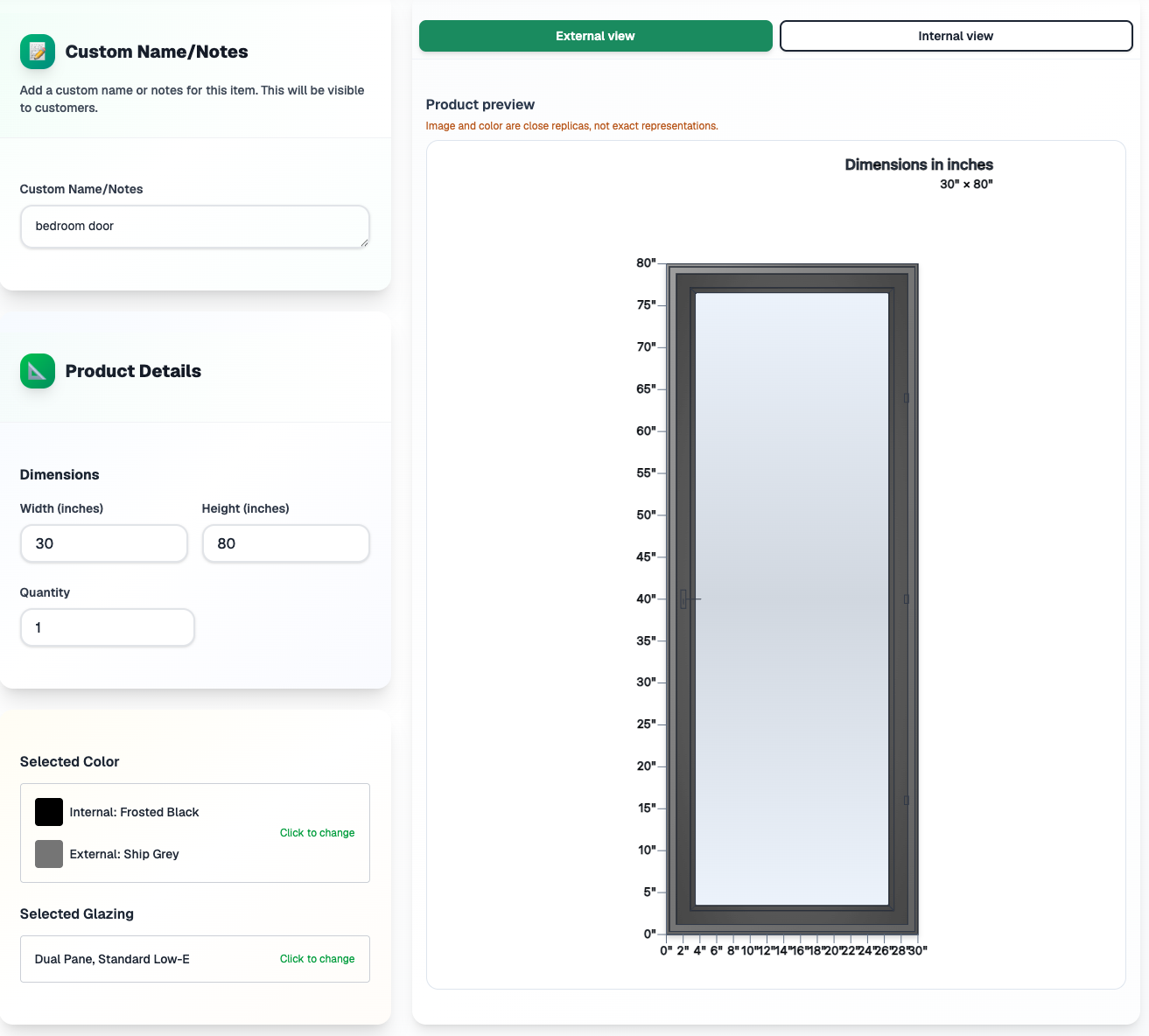
Visualise products in context with image simulations. See how windows and doors will look before you finalise the quote, helping you and your customers make confident choices.
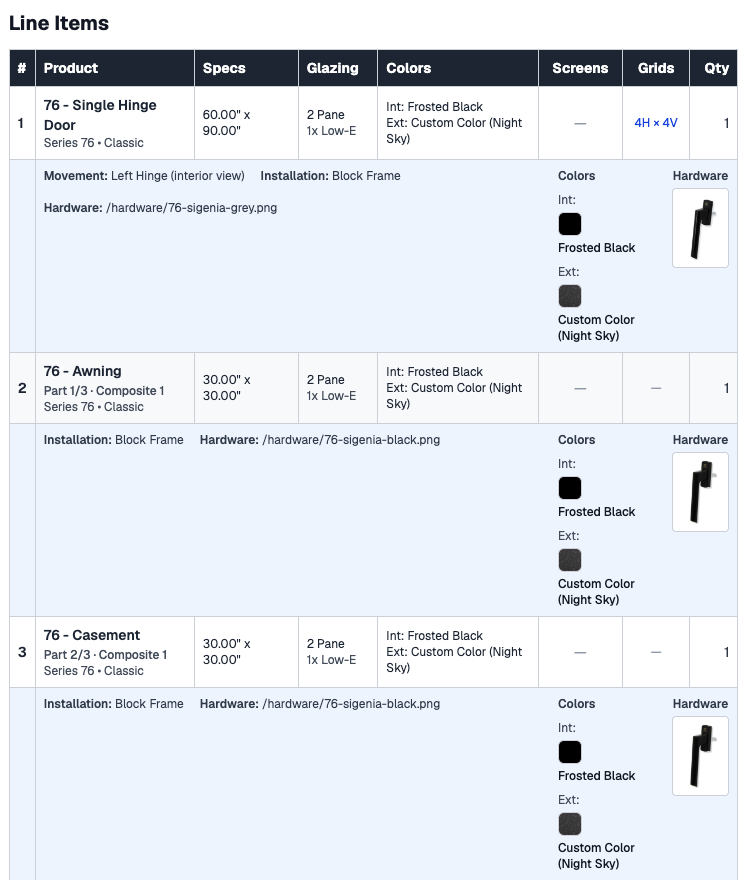
Save and manage multiple quotations. Export to PDF for customers and projects, with line items, totals, and optional company branding.
From login to quote in a few steps.
Sign in with your dealer account to access the quotation tool.
Start a new quotation and add customer or project details.
Select products, set dimensions, hardware, and glazing for each opening.
Review pricing, apply discounts if needed, and export or share the quote.
Sign in with your dealer account to access the quotation tool.
Start a new quotation and add customer or project details.
Select products, set dimensions, hardware, and glazing for each opening.
Review pricing, apply discounts if needed, and export or share the quote.
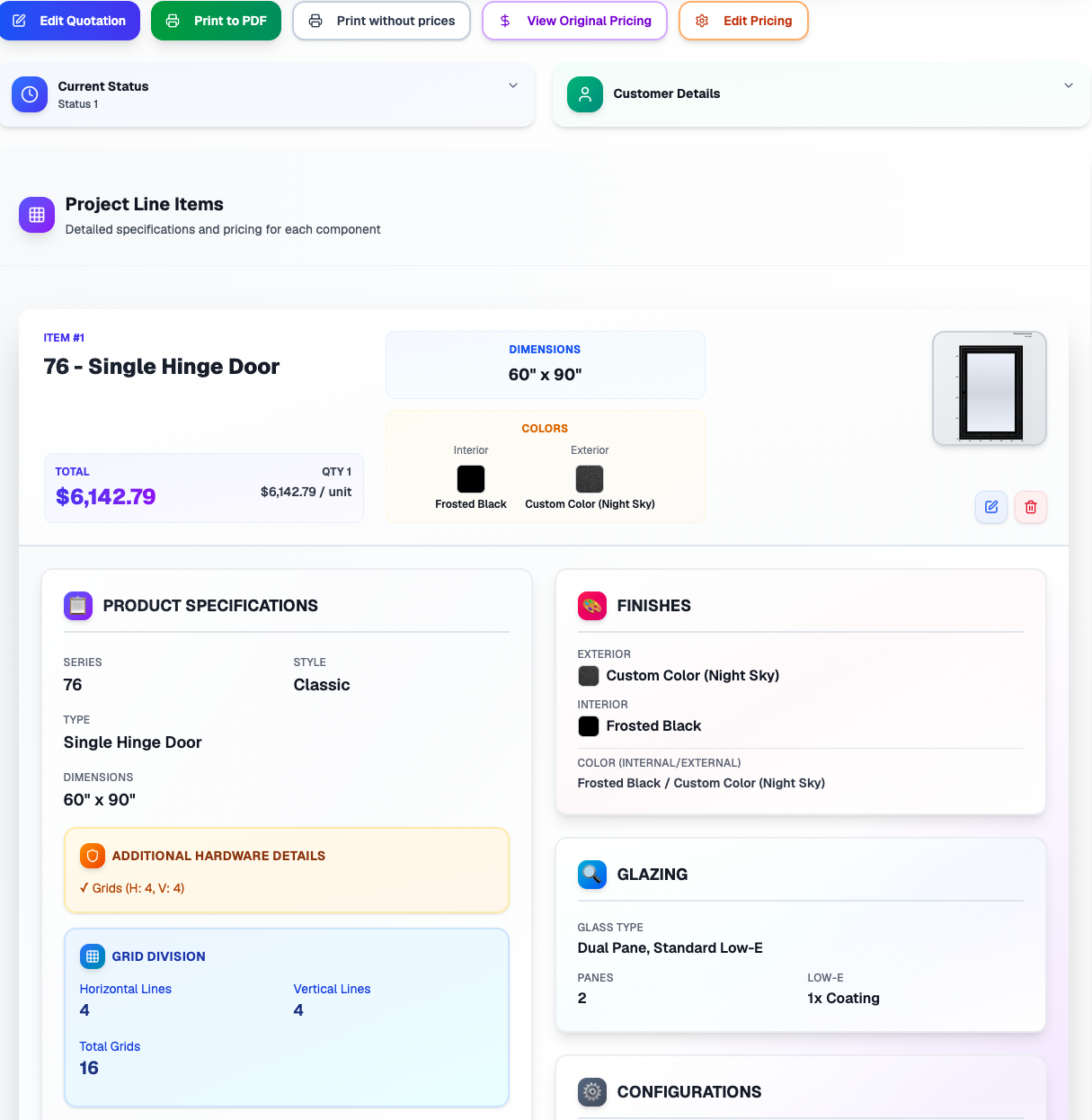
Create and edit line items, adjust dimensions and options, and see totals update in real time. When you're ready, export to PDF or continue editing later.
Sign in to your dealer account to use the quotation tool. New to MOLI? Become a dealer to get access.